
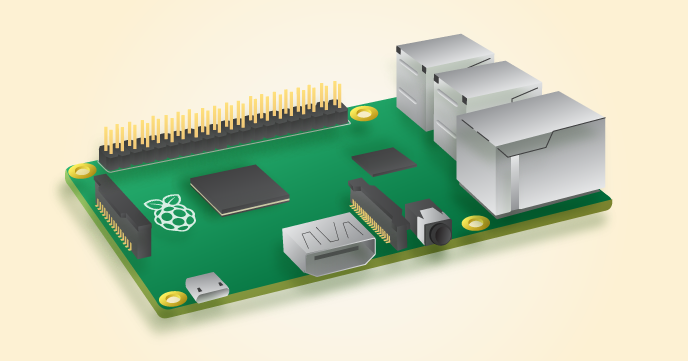
We’ve seen the Raspberry Pi do some crazy things. From simply replacing your desktop to being clustered together as a sub $2,000 supercomputer the Raspberry Pi doesn’t cease to amaze and interest anyone with a love for technology, but with these seemingly endless capabilities, many are beginning to wonder whether it could work as a personal file sharing server or even a small web server.

Power and Price
The Raspberry Pi 2 Model B (which is currently the most powerful Raspberry Pi available) features
- A 900MHz quad-core ARM Cortex-A7 CPU
- 1GB RAM
- and a VideoCore IV 3D graphics core
The specs aren’t crazy fast, but for just a little over $30, it’s definitely worth considering.
ServerPronto’s cheapest dedicated server costs  just$29 a month and features
- A dual-core CPU (2x 1.90Ghz)
- 2GB RAM
- 250GB SATA hard drive
- 5TB Traffic
So, a dedicated server from ServerPronto will more than double the power of the Raspberry Pi, but with the Raspberry Pi, you only pay $30 once, where with the $29 dedicated server, you pay $29 each month.
Ease of Use
With a dedicated server from ServerPronto, you’ll be up and running quickly with an average provisioning time of just an hour. You also get free set up assistance and access to 24/7 support.
Setting up the Raspberry Pi as a web server will require all the following hardware:
- SD memory card (4GB or larger)
- Power adapter compatible with the MicroB connector on the Raspberry Pi
- Ethernet patch cable
- HDMI compatible monitor and HDMI cable
- USB Keyboard (no mouse is necessary, you can navigate the entire interface via a keyboard. Arrow keys, Enter, ESC, etc.)
After acquiring all the hardware (which can increase the total cost significantly depending on what you need to buy and what you have lying around), you will need to perform the following steps:
- Update Raspbian
- Install Apache
- Verify that the Server is Running
- Determine Your IP Address
- Test Your Server’s Website
- Create a Shortcut for Your WWW Folder
- Setup FTP or Use SFTP
- Adjust Apache2.conf File to Avoid Crashing
There are a few good tutorials on setting up the Raspberry Pi as a server, with many even displaying the code like this useful tutorial, but ultimately the hardware and steps required to set up the server mean that the Raspberry Pi won’t be able to compete with ServerPronto’s simple to use dedicated servers.
Conclusion
The Raspberry Pi is interesting, and turning one into a server is a neat experiment, but that’s about it. It’s impractical as a server as you will be constantly pushing the hardware’s limits and risking a server crash. You also need to invest quite a bit of time and energy into the initial set up. ServerPronto, on the other hand, can provide you with a simple to use a server with double the power for as little as $29 dollars a month.
If you want to experiment with using the Raspberry Pi as a server, check out this tutorial.
ServerPronto offers the best affordable and secure hosting service in all dedicated server packages.







Comments are closed.