
Last Updated: October 23, 2026
Quick Summary
To build AI infrastructure for beginners, you need compute power (GPUs and CPUs), storage for datasets and models, networking infrastructure, and software frameworks, along with a realistic assessment of your current setup and a clear roadmap. Start by auditing what you already have, choose between cloud, on-premises, or hybrid infrastructure based on your workload, then plan your data pipelines, storage, and compute resources carefully.
- GPUs dominate model training because they process matrix operations in parallel far faster than CPUs alone.
- Most teams start with cloud infrastructure for experimentation, then evaluate dedicated infrastructure once workload patterns are understood.
- Data preparation typically takes 80% of project time, so budget accordingly and start data pipeline work early.
- Use existing tools like Kubernetes, Airflow, and Prometheus rather than building custom solutions for standard infrastructure problems.
- Monitor GPU utilization continuously; if under 80%, your batch size, data pipeline, or model efficiency needs adjustment.
Table of Contents
- What You’ll Need Before Starting
- Understanding AI Infrastructure Components
- Step 1: Assess Your Current Infrastructure and Readiness
- Step 2: Choose Between Cloud Infrastructure for AI, On-Premises, or Hybrid
- Step 3: Plan Your AI-Ready Data Infrastructure
- Step 4: Set Up Compute Resources and GPU Allocation
- Step 5: Implement AI Infrastructure Best Practices
- Common Mistakes to Avoid
- Frequently Asked Questions
What You’ll Need Before Starting
To build AI infrastructure requires careful planning and the right foundational components. Before you start provisioning servers or configuring frameworks, you need to understand what you’re actually building toward. The ones that succeed share one trait: they know exactly what they need before they buy.
You’ll need compute power (CPUs and GPUs), storage capacity for datasets and models, networking infrastructure to move data efficiently, and software frameworks to orchestrate everything. Beyond hardware, you need a realistic assessment of your current infrastructure, a budget that accounts for scaling, and a team with at least basic familiarity with the components involved. The good news: you don’t need to be an expert to start. You need a clear roadmap.
Understanding AI Infrastructure Components
AI infrastructure isn’t a single product, it’s a system of interconnected pieces working together to train models, store data, and serve predictions. Think of it as three layers: the physical foundation (hardware), the software that runs on it (frameworks and tools), and the data that flows through everything.
Hardware: Compute, Storage, and Networking
Compute resources are where AI work actually happens. GPUs (graphics processing units) dominate model training because they process matrix operations in parallel far faster than CPUs alone. A single modern GPU can perform trillions of floating-point operations per second. CPUs remain essential for orchestration, preprocessing, and inference at scale. Storage needs are enormous: datasets for training can reach terabytes, and checkpoints during training require fast, reliable access.
The hardware decision shapes everything downstream. GPU-accelerated training cuts weeks off model development. But GPUs demand proper cooling, power delivery, and networking. On-premises hardware gives you full control and predictable costs. Cloud infrastructure offers flexibility but can surprise you with overage charges. Hybrid approaches let you use both, though they add operational complexity.
Software and Frameworks
Your software stack determines how efficiently your team can build and deploy models. PyTorch and TensorFlow dominate for model development, both are open-source and mature. Container orchestration tools like Kubernetes manage workloads across multiple machines. Message queues (Kafka, RabbitMQ) handle data pipelines. Monitoring and logging tools (Prometheus, ELK stack) track what’s actually happening in production.
Most teams start with a single framework and expand from there. Mixing frameworks within one project creates maintenance headaches. Pick one, master it, then add specialized tools only when you’ve outgrown what you have.
Step 1: Assess Your Current Infrastructure and Readiness
Start by auditing what you already have. Do you have existing servers? What’s their CPU, GPU, and memory capacity? How much data are you storing, where, and how fast can you access it? What’s your network bandwidth to external systems?
Document your current bottlenecks. If your team waits hours for training jobs to complete, compute is your constraint. If data pipelines fail regularly or run slowly, storage or networking is the problem. If you’re paying cloud overages every month, your infrastructure isn’t sized correctly for your workload.
Assess your team’s skills honestly. Do you have someone who can configure Kubernetes? Can your DevOps team manage GPU drivers and CUDA compatibility? If not, you’ll either need to hire, train, or choose managed solutions that abstract away complexity. This decision shapes your entire build-versus-buy calculation.
Document your budget constraints. According to DDN’s 2026 State of AI Infrastructure Report, 97% of respondents said cloud is essential to scaling AI, but the report also shows that 72% of enterprises are working with partners to build and run AI infrastructure, meaning most organizations don’t build everything themselves.
Step 2: Choose Between Cloud Infrastructure for AI, On-Premises, or Hybrid
This is where your infrastructure decision branches. Each path has real trade-offs.
Cloud infrastructure for AI (AWS, Google Cloud, Azure) offers the easiest entry. Provisioning takes minutes. Scaling is automatic. You pay only for what you use, in theory.
On-premises infrastructure means you own the hardware. Costs are predictable: fixed monthly expenses with no surprises. You have full control over configuration, security, and performance. The trade-off is operational burden.
Hybrid infrastructure combines both. You run steady-state workloads on-premises and burst to the cloud for spikes. This sounds ideal but adds operational complexity.
For most teams starting out, cloud is the right first choice. Dedicated Server vs Cloud for AI Workloads provides a detailed framework for comparing these infrastructure options.
Each infrastructure approach offers distinct advantages and trade-offs for different organizational needs.
| Approach | Best For | Key Trade-off |
|---|---|---|
| Cloud infrastructure | Experimentation and variable workloads | Unpredictable bills from longer-than-expected jobs |
| On-premises infrastructure | Stable, predictable workloads | Operational burden of managing hardware and cooling |
| Hybrid infrastructure | Steady workloads plus occasional spikes | Added complexity managing two separate systems |
Step 3: Plan Your AI-Ready Data Infrastructure
Data is the foundation of everything. Bad data ruins models. Slow data pipelines waste compute resources. This is where most teams go wrong, they focus on GPUs and overlook the unglamorous infrastructure that feeds them.
Data Pipelines and Quality
Your data pipeline moves raw data through cleaning, transformation, and validation before it reaches training. A broken pipeline means garbage data hitting your model. Garbage data means garbage predictions, no matter how powerful your compute is.
Start by mapping where your data lives. Database? Data warehouse? API endpoints? Files in cloud storage? Each source requires different handling. Build transformation logic that standardizes formats, handles missing values, and removes duplicates. This isn’t optional, it’s the difference between models that work and models that fail silently.
Data quality monitoring is continuous work. Set up checks that validate data shape, distribution, and freshness. Alert when pipelines fail or when data drifts outside expected ranges. A common mistake is treating data infrastructure as a one-time setup. It’s not.
Storage and Scalability
Storage decisions matter more than most people realize. Fast storage (NVMe SSDs) costs more but accelerates training. Slower storage (HDDs) costs less but creates bottlenecks when you’re reading terabytes of data. The math is simple: if your GPU sits idle waiting for data, you’ve wasted money on compute.
Plan for growth. AI training infrastructure in Miami walks through hardware and colocation options for AI training, including compute, datasets, checkpoint storage, power, cooling, and network requirements. If your dataset is 500 GB today, budget for 5 TB next year. Storage capacity planning prevents the emergency expansion that costs 3x as much.
ServerPronto’s guide to AI training infrastructure planning walks through hardware and colocation options for AI training, including compute, datasets, checkpoint storage, power, cooling, and network requirements.
Step 4: Set Up Compute Resources and GPU Allocation
This is where theory becomes concrete. You’re provisioning actual hardware and configuring how it runs your workloads.
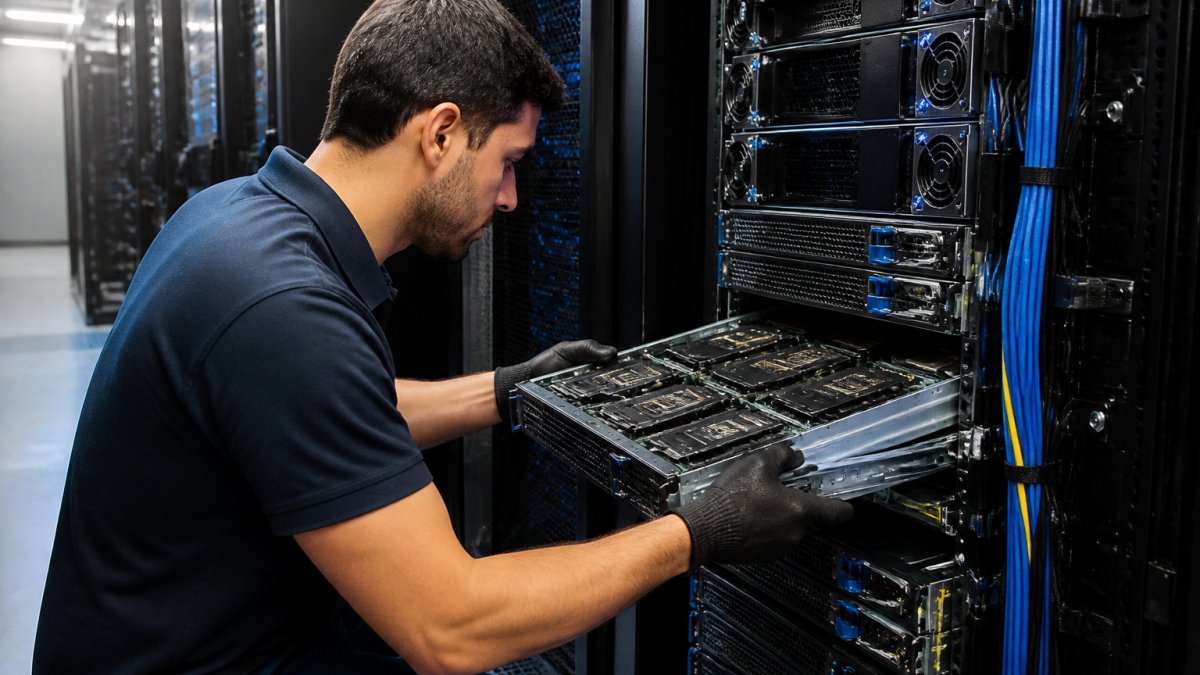
Start by selecting your GPU. NVIDIA dominates for AI, H100s for training, L40s for inference. AMD and Intel have alternatives, but NVIDIA’s software ecosystem (CUDA, cuDNN) is mature.
Memory matters. A GPU with 80 GB of VRAM can hold larger models and bigger batches. This directly impacts training speed.
Network connectivity between compute nodes and storage is critical. A 1 Gbps connection will bottleneck your training. Use at least 10 Gbps networking, preferably 100 Gbps if you’re distributed across multiple machines.
Configure resource allocation carefully. If you have 8 GPUs, don’t assume you can run 8 independent training jobs. Each job needs CPU cores, memory, and network bandwidth. Oversubscribe and everything slows down.
Step 5: Implement AI Infrastructure Best Practices
Building infrastructure is one thing. Operating it reliably is another. This is where discipline pays off.
Security and Governance
Your AI infrastructure handles sensitive data and runs expensive compute. Secure it accordingly. Start with network isolation, don’t expose your infrastructure to the public internet. Use Managed Hardware Firewall solutions to protect your AI infrastructure with enterprise-grade security. Use firewalls and VPNs to restrict access.
Authentication and authorization matter. Use strong credential management, never hardcode API keys or database passwords. Rotate credentials regularly. Implement role-based access control so team members access only what they need. Deploy Managed Data Backup to ensure data protection and disaster recovery for your AI infrastructure.
Data governance is governance for your organization, not just your infrastructure. Document which datasets you’re using, where they come from, and what restrictions apply. HIPAA, GDPR, and other regulations have teeth. Violating them costs millions.
Monitoring and Performance
You can’t fix what you don’t measure. Set up monitoring from day one. Track GPU use, memory usage, network bandwidth, and storage I/O. If GPU use is under 80%, something is wrong, either your batch size is too small, your data pipeline is slow, or your model is compute-inefficient.
Monitor training metrics continuously. Loss curves that plateau or diverge indicate problems. Validation accuracy that lags training accuracy suggests overfitting. Alert on anomalies so you catch issues early, not after days of wasted compute.
Log everything. When a training job fails at 3 AM, logs are your only source of truth. Centralize logs (ELK stack, Datadog, etc.) so you can search across all systems. Include timestamps, error messages, and context. This turns hours of debugging into minutes.
Common Mistakes to Avoid
Most teams make the same errors. Learn from them without repeating them.
Underestimating data preparation work. Teams spend 80% of project time on data and 20% on modeling. Yet they budget the opposite.
Choosing infrastructure before understanding workload. Picking expensive GPUs for jobs that don’t need them wastes money. Picking cheap hardware for GPU-intensive work wastes time.
Ignoring operational costs. Hardware is one-time. Power, cooling, networking, and staffing are ongoing. A $50K GPU that costs $5K per month to operate is expensive.
Building custom solutions for standard problems. Data pipelines, monitoring, and orchestration are solved problems. Use existing tools (Airflow, Kubernetes, Prometheus) rather than building from scratch.
Scaling without planning. Scaling from 1 GPU to 8 GPUs requires different approaches. Scaling to 100 GPUs requires different approaches again. Think about your growth path before you’re forced to rebuild.
The path to build AI infrastructure starts with honest assessment of what you have, what you need, and what you can realistically operate.
Frequently Asked Questions
What are the main components of AI infrastructure?
AI infrastructure requires compute resources (CPUs and GPUs), storage systems for large datasets, networking to connect components, software frameworks like TensorFlow or PyTorch, and data pipelines for quality preparation. According to the 2026 State of AI Infrastructure Report, 97% of respondents consider cloud essential to scaling AI. You’ll also need monitoring tools, security protocols, and governance systems to manage model deployment and inference at scale.
How do I choose between cloud, private cloud, and bare metal for AI infrastructure?
Cloud infrastructure for AI offers flexibility and managed services but may have variable costs. Private cloud gives you dedicated resources and cost predictability. Bare metal provides maximum control and performance for GPU-intensive workloads. Consider your budget, team expertise, data sensitivity, and workload patterns. The 2026 DDN report shows 72% of enterprises work with partners to build infrastructure, suggesting a hybrid approach combining managed services with dedicated resources often works best.
What makes AI-ready data infrastructure different from standard data storage?
AI-ready data infrastructure prioritizes high-throughput data pipelines, low-latency access to large datasets, and data quality assurance. It must support parallel processing across multiple GPUs and handle unstructured data like images and text. Standard storage focuses on availability and redundancy; AI infrastructure adds performance optimization, automated data validation, and integration with machine learning frameworks for seamless model training and inference.
How can beginners secure and monitor AI infrastructure?
Implement role-based access control, encrypt data in transit and at rest, and use firewalls and VPNs for network security. Monitor resource utilization, model performance, and system health with tools like Prometheus or Grafana. Set up alerts for anomalies, track inference latency, and log all access for compliance. Start with basic monitoring and add complexity as your infrastructure grows. Regular security audits and team training on best practices prevent most common vulnerabilities.






Comments are closed.