
Last Updated: November 23, 2026
Quick Summary
To host private AI, run models on dedicated hardware you control, sized by GPU video memory, with a Linux server, pinned drivers, containerized inference, and access limited to a private network. Dedicated hosting keeps prompts and outputs on machines assigned only to you, with a predictable monthly cost and full software freedom.
- Model weights and working memory must fit in GPU VRAM, or throughput collapses.
- A 70B model at 4-bit needs about 35 GB for weights, before overhead.
- Plan at least 64 GB of system RAM for a single-GPU inference server.
- Keep model weights on local NVMe rather than network storage for fast loading.
- Expose the inference API only on a private network interface by default.
Table of Contents
- Why Host Private AI Models on Dedicated Hardware
- Local AI Server Hardware: CPU, RAM, Storage and Power
- NVIDIA GPU AI Server Requirements: VRAM, Quantization and Model Size
- How to Host AI Model Locally: Operating System, Drivers and Inference Software
- Build Your Own AI Server or Rent Dedicated Hardware: Cost Comparison
- Securing Your Private AI Server: Network Isolation, Access Control and Updates
- Start Hosting Your Private AI on ServerPronto Dedicated Hardware
- Frequently Asked Questions
Why Host Private AI Models on Dedicated Hardware
Running a large language model on someone else’s shared cloud means your prompts, your training data and your outputs sit on infrastructure you do not control. Hosting private AI models on dedicated hardware changes that equation. The server is yours to configure, your data stays on hardware assigned only to you, and you decide which models run and who can reach them.
ServerPronto provides dedicated, bare metal and GPU environments for businesses that need full root access and predictable performance. Private model hosting is less about buying the most expensive card and more about matching hardware, software and access controls to the workload you actually have.
Many teams start with a rented cloud GPU instance, then move inference onto dedicated hardware once usage becomes steady. Several reasons drive that move:
- Data control: Prompts and outputs never leave a machine you administer.
- Predictable cost: A fixed monthly server can replace per-token or per-hour billing that is hard to forecast.
- Dedicated resources: Inference latency stays consistent because the GPU is not shared with other tenants.
- Full software freedom: You choose the inference engine, the quantization format and the model version.
Private hosting is not automatically cheaper or faster. Light, occasional use often fits a managed API better. The rest of this guide shows how to tell the difference.
Local AI Server Hardware: CPU, RAM, Storage and Power
A local AI server has four components that matter most: the GPU, system memory, storage and power. The GPU does the heavy lifting during token generation, but the rest of the system determines whether it stays fed.
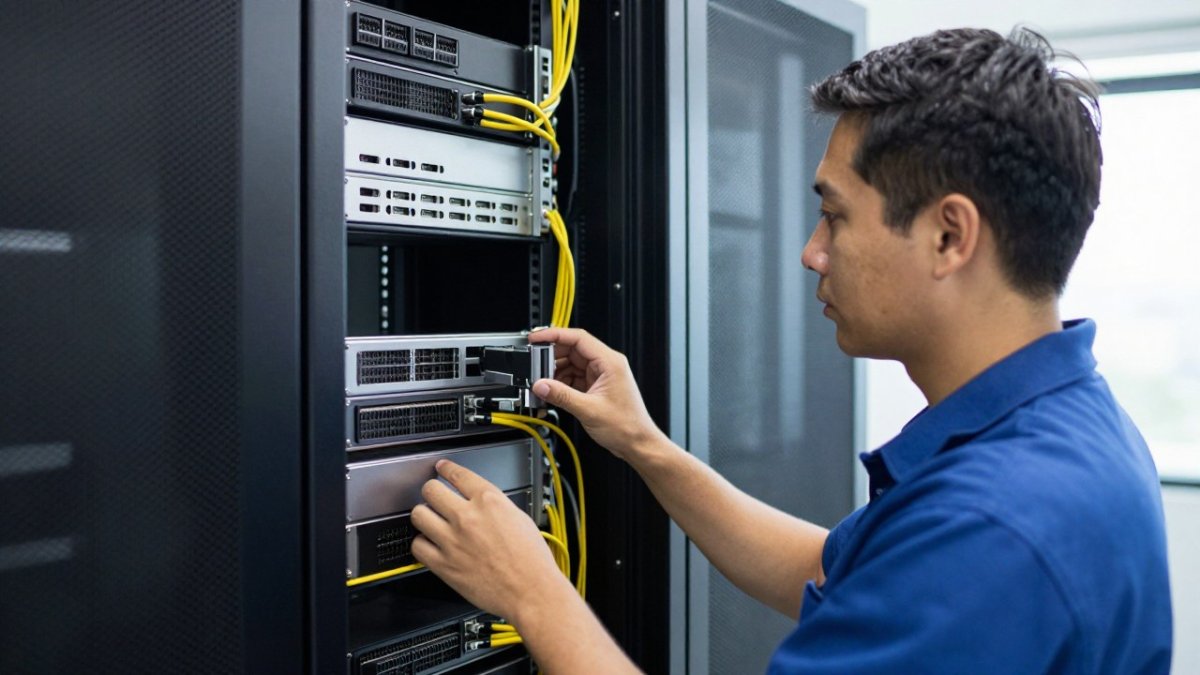
CPU. For GPU inference, the CPU mainly handles request scheduling, tokenization and data movement.
System RAM. Plan for at least 64 GB for a single-GPU inference server. Model loading, caching and the operating system all draw from system memory, and running short of it causes swapping that stalls responses.
Storage. Model weights are large. A single 70-billion-parameter model in 4-bit format occupies roughly 35-40 GB, and most teams keep several versions. A fast NVMe drive of 2 TB or more keeps load times short. Keep weights on local NVMe rather than network storage, since slow reads delay every model swap.
Power. High-end GPUs draw several hundred watts each under sustained load. Confirm that the power supply and the data center circuit can handle peak draw, not average draw, before you commit to hardware. If you colocate your server, ask the facility how much power your rack can receive.
Start from your workload, not the spec sheet. A server handling a few internal chat users has very different requirements from one serving an API to customer applications.
NVIDIA GPU AI Server Requirements: VRAM, Quantization and Model Size
GPU video memory, or VRAM, is the single most important constraint for hosting a model. Model weights and per-request working memory must fit in VRAM, or the GPU spills to much slower system memory and throughput collapses.
The weight-size formula. For a transformer model, weight memory in gigabytes is roughly parameter count times bytes per parameter, divided by one billion. At 16-bit precision (FP16 or BF16), that is 2 bytes per parameter.
Add KV-cache and activation overhead. Weights are not the whole story. The key-value cache grows with context length and concurrent requests, and activation memory grows with batch size.
Quantization trade-offs. Quantization stores weights at lower numeric precision to fit larger models. 4-bit formats such as GPTQ, AWQ and GGUF Q4 variants are the common production choice for single-GPU hosting.
A practical sizing table. These are planning estimates for weight memory only; add the 20-50% overhead above for real deployments.
| Model size | 16-bit VRAM | 8-bit VRAM | 4-bit VRAM | Typical single-GPU fit |
|---|---|---|---|---|
| 7B | ~14 GB | ~7 GB | ~4 GB | 16 GB card |
| 13B | ~26 GB | ~13 GB | ~7 GB | 24 GB card |
| 34B | ~68 GB | ~34 GB | ~17 GB | 24 GB card (4-bit) |
| 70B | ~140 GB | ~70 GB | ~35 GB | 48 GB card (4-bit) |
| 120B+ | ~240 GB+ | ~120 GB+ | ~60 GB+ | Multi-GPU |
Multi-GPU trade-offs. When a model does not fit on one card, tensor parallelism splits it across GPUs, adding inter-GPU communication overhead and requiring a fast link (NVLink on higher-end cards, PCIe on consumer cards).
CUDA and driver compatibility. Confirm that your inference framework supports your NVIDIA driver and CUDA version before purchasing. Mismatched driver versions are a frequent cause of failed deployments on new hardware.
Watch out: buying a card sized exactly to the weight footprint with no headroom for KV-cache and concurrency is the most common sizing mistake; a 70B model at 4-bit on a 40 GB card will run a single short prompt but stall under real multi-user load. Because sizing for concurrency also means knowing what data leaves the hardware, check whether any online text processing used alongside the model is private with TextUtility.
How to Host AI Model Locally: Operating System, Drivers and Inference Software
Most production AI servers run Linux. It offers the best driver support, container tooling and stability for long-running services. Ubuntu Server LTS is a common, well-documented choice.
The setup sequence usually runs like this:
- Install the OS on the NVMe drive, reserving the largest partition for model storage.
- Install the NVIDIA driver matching your GPU, then the CUDA toolkit the inference software requires.
- Verify the GPU with the driver’s status tool before going further.
- Install Docker and the NVIDIA container toolkit so containers can access the GPU.
- Deploy an inference backend, such as vLLM, llama.cpp or Ollama, depending on whether you need high-throughput serving or simpler single-user access.
- Download model weights into a dedicated directory and load one model to confirm it runs.
Containerizing the inference backend makes upgrades and rollbacks far easier. Keep the driver version pinned, because automatic driver updates have broken working inference setups for many teams.
Expose the inference API only on a private network interface unless you have a specific reason to do otherwise. That leads directly to security, covered below.
Build Your Own AI Server or Rent Dedicated Hardware: Cost Comparison
The build-or-rent decision comes down to capital cost, operating burden, and how quickly your needs will change.
Power and cooling infrastructure. This is the cost most build guides omit. A single 350-450 W GPU running continuously adds meaningful load to a circuit, and a multi-GPU server can exceed what a standard office circuit delivers.
Operating burden. Self-hosting means you own maintenance, replacement, and troubleshooting. Failed GPUs, failed drives, and driver regressions all become your problem, and hardware depreciates quickly as newer GPU generations arrive. Budget staff time for patching, monitoring, and hardware refresh.
Renting dedicated hardware. Renting shifts the capital cost into a monthly fee and moves physical maintenance, power, and cooling to the provider. You keep root access and software control, but you depend on the provider’s hardware catalog and facilities.
| Factor | Build Your Own | Rent Dedicated Hardware |
|---|---|---|
| Upfront cost | High (hardware purchase) | Low (no purchase) |
| Power and cooling | You size circuits and cooling | Provider handles it |
| Ongoing cost | Power, cooling, space, staff time | Monthly fee |
| Hardware refresh | You manage it | Provider manages it |
| Flexibility to change GPUs | Slow, capital-intensive | Faster, depends on catalog |
| Physical control | Full | Limited to provider facilities |
| Compliance ownership | You own the full stack | Shared with provider |
| Best for | Steady, long-term, large-scale use | Growing or uncertain workloads |
The compliance angle most guides skip. Private AI hosting is often driven by regulatory obligations, not just cost.
How to decide. If your workload is steady, large, and long-term, and you have the facilities and staff to run it, building can pay off over time.
Securing Your Private AI Server: Network Isolation, Access Control and Updates
A private model server is only private if access is controlled. Three layers matter most.
Network isolation. Place the inference API on an internal network or behind a VPN. Block public access to the inference port at the firewall, and allow only the application servers that need it. For the most sensitive workloads, consider an air-gapped design with no outbound internet access after model weights are installed.
Access control. Require authentication in front of the inference endpoint, using API keys or a reverse proxy with SSO. Log every request with a timestamp and caller identity. Limit root access to named administrators and use SSH keys instead of passwords.
Updates and patching. Apply OS security patches on a regular schedule, and test them against the pinned GPU driver before rollout. Subscribe to security advisories for your inference framework, since these tools are young and change quickly.
Keep backups of your configuration and model metadata, not just the weights, so you can rebuild a failed server quickly.
Start Hosting Your Private AI on ServerPronto Dedicated Hardware
Hosting private AI models well comes down to matching the GPU, memory and storage to your model, locking down access, and choosing a hosting model you can maintain. ServerPronto provides dedicated, bare metal and GPU servers with full root access, so you can host private AI on hardware assigned only to you.
Servers are provisioned within about 2 hours, with 24/7 on-site technicians, a 100% uptime guarantee and a 7-day money-back guarantee. Billing is month-to-month with no contracts, and free setup assistance is included. Dan H., a ServerPronto customer, described the experience this way: “practically 100% uptime since we started and an unbelievable support team.”
Start by configuring a server with the GPU and memory your model requires, then use the setup steps above to bring it online. You can host infrastructure for production AI inference and LLM applications on dedicated or customer-owned hardware while keeping control of your model-serving stack. Visit ServerPronto to build and price a dedicated AI server and get a quote for your workload.
Frequently Asked Questions
How do I host my own private AI?
Start by choosing dedicated hardware with a GPU that has enough VRAM for the model you plan to run. Install a Linux operating system, set up NVIDIA drivers, and then deploy an inference server such as Ollama, llama.cpp or vLLM. Download the model weights, load them onto the GPU, and expose a local API endpoint only to your internal network. Test token generation speed and latency before moving the server into production, and document your configuration so it can be rebuilt quickly if needed.
Can you run AI models on RAM without a GPU?
Yes. Models can run on CPU and system RAM, but generation is usually much slower than on a GPU because memory bandwidth and parallel compute are lower. Quantized models, which store weights at lower precision, reduce the memory footprint and make CPU inference more practical for smaller models. CPU-only setups work well for testing, light internal tools, or low-volume workloads. For interactive use or larger models, a dedicated NVIDIA GPU with sufficient VRAM is the more reliable choice.
How much GPU memory do you need to run a private AI model?
VRAM requirements depend on the parameter count of the model and the quantization level you choose. As a rough guide, quantized 7-billion-parameter models often fit on GPUs with 8 GB to 12 GB of VRAM, while larger models need 24 GB or more. Remember that the context window also consumes memory during inference, so leave headroom beyond the raw model size. Check the model documentation and test before committing to a configuration.
How do you secure a self-hosted AI server?
Keep the server off the public internet where possible by placing it on a private network or behind a VPN. Restrict SSH access to key-based authentication, disable password logins, and use a firewall to allow only the ports your inference API requires. Apply operating system and driver updates on a regular schedule, and log all access to the model endpoint. If the server processes sensitive data, encrypt disks and back up model configurations and data in a separate, secured location.





Comments are closed.