
Table of Contents
- Best GPUs for Local LLM Training: Quick Comparison
- NVIDIA GeForce RTX 5090: Maximum VRAM for Consumer Training
- GPU VRAM Requirements for LLM Fine-Tuning
- Best GPU for LLM Fine-Tuning: RTX 4090 and L40S
- Multi-GPU Setup for LLM Training: Scaling Beyond Single Cards
- GPU Server for AI Training: Enterprise and Data-Center Options
- How to Choose the Right GPU for Your LLM Workload
- Conclusion
- Frequently Asked Questions
Last Updated: October 13, 2026
Best GPUs for Local LLM Training: Quick Comparison
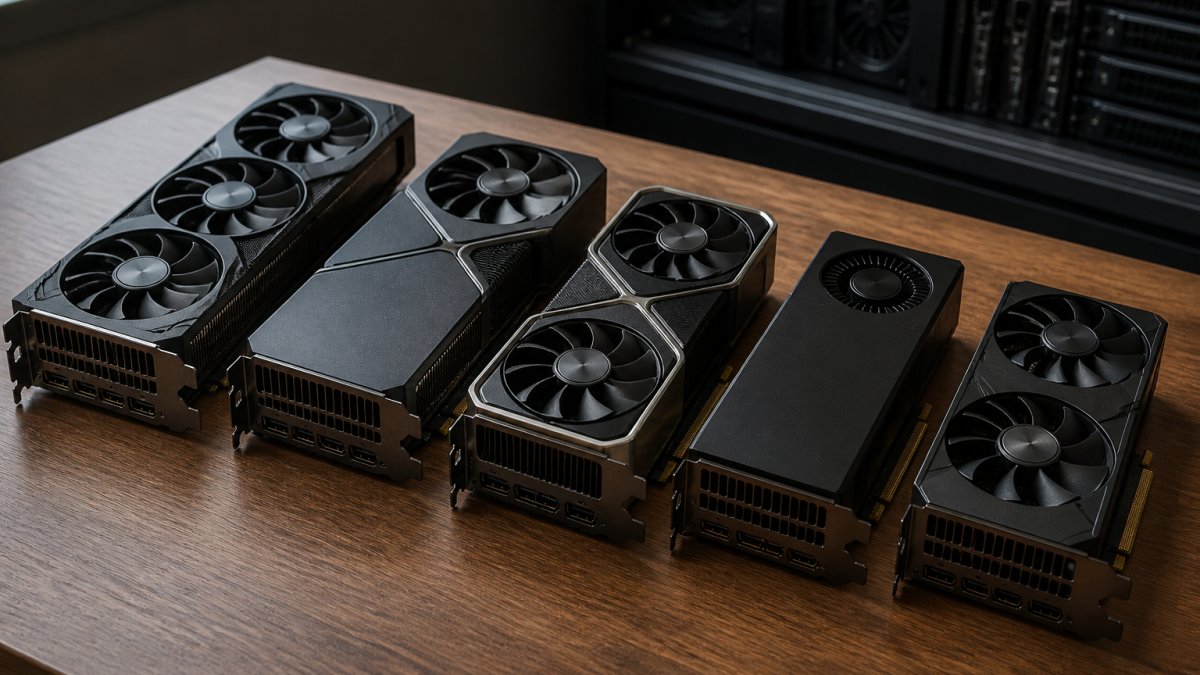
Finding the best GPU for local LLM training demands serious hardware. The difference between a workable setup and a frustrating one comes down to VRAM, memory bandwidth, and whether you’re fine-tuning existing models or training from scratch.
Most people chase the biggest GPU name without understanding what they need. A 24 GB card handles inference beautifully; training a 70B parameter model requires something entirely different.
Quick Picks:
- Best for Consumer Training: RTX 5090, maximum VRAM in a single consumer GPU with 32 GB GDDR7
- Best Budget Option: RTX 5060 Ti, 16 GB VRAM at $429-$499, suitable for smaller models and fine-tuning
- Best for Serious Training: L40S, 48 GB of memory for comfortable large-model work without extreme workarounds
| GPU | VRAM | Memory Bandwidth | Best For | Price Range |
|---|---|---|---|---|
| RTX 5090 | 32 GB GDDR7 | 1,792 GB/s | Consumer training, 32B models | Contact for pricing |
| RTX 4090 | 24 GB GDDR6X | 1,008 GB/s | Inference, smaller fine-tuning | Used: $1,500-$2,200 |
| RTX 5060 Ti | 16 GB GDDR7 | 576 GB/s | Budget fine-tuning, Ollama | $429-$499 |
| L40S | 48 GB | High bandwidth | Comfortable training, fewer workarounds | Contact for pricing |
| NVIDIA B200 | 192 GB HBM3e | 8 TB/s | 70B+ training, data-center scale | Contact for pricing |
NVIDIA GeForce RTX 5090: Maximum VRAM for Consumer Training
The RTX 5090 is the consumer GPU ceiling for local LLM work. With 32 GB of GDDR7 memory and 1,792 GB/s memory bandwidth NVIDIA GPU specifications, it can handle 32B models at Q4 quantization on a single card, a real capability for teams that want local training without jumping to enterprise hardware.
It’s the right pick for fine-tuning mid-size models without renting cloud GPUs. The 32 GB VRAM is a genuine step up from the RTX 4090’s 24 GB, giving breathing room for gradient accumulation, larger batch sizes, and less aggressive quantization.
Where it falls short: it’s still a consumer card. Full-model training on 70B parameters requires multi-GPU or data-center hardware, its bandwidth lags enterprise accelerators, and power demands serious cooling.
Pair the RTX 5090 with at least 64 GB of system RAM and an NVMe SSD for swap. Fine-tuning workloads benefit from fast I/O when moving data between system memory and GPU VRAM.
GPU VRAM Requirements for LLM Fine-Tuning
Memory capacity is the hard constraint in local LLM work, but “how much VRAM do I need” is the wrong first question. The right one is: which of the three workloads are you running? They have wildly different memory profiles, and conflating them is the most common reason people buy the wrong card.
The three workloads, defined:
- Inference, running a frozen model to generate text. Weights sit in VRAM; no gradients, no optimizer state. A 7B model at Q4 fits in roughly 5-6 GB; a 70B model at Q4 in roughly 40-42 GB.
- Fine-tuning, updating a subset of weights (LoRA/QLoRA adapters) or all weights (full fine-tuning) on a pretrained base. You hold weights + activations + gradients + optimizer state.
- Training from scratch, random initialization, full backprop, full optimizer state, often mixed precision. The memory-hungriest regime by a wide margin, and rarely what a local user actually means.
The keyword says “training,” but most readers searching this are fine-tuning. The recommendations below are split accordingly.
VRAM by model size and method
These are working minimums for a single GPU, assuming a 4-bit or 8-bit base where noted and a modest batch size. Add headroom for longer sequences, attention memory scales with context, not just parameter count.
| Model size | Inference (Q4) | LoRA fine-tune (bf16 base) | QLoRA fine-tune (4-bit base) | Full fine-tune (bf16) |
|---|---|---|---|---|
| 7B | ~5-6 GB | ~16-18 GB | ~8-10 GB | ~80-100 GB |
| 13B | ~8-10 GB | ~24-28 GB | ~12-16 GB | ~160-200 GB |
| 32B | ~18-20 GB | ~48-64 GB | ~24-32 GB | ~400 GB+ |
| 70B | ~40-42 GB | ~120 GB+ | ~40-48 GB | ~1 TB+ |
Those full fine-tune numbers are why almost nobody full-fine-tunes a 70B model on a single card. The optimizer state alone (Adam holds two moments per trainable parameter, typically in fp32) can be 8 bytes per parameter before weights, gradients, or activations.
Why LoRA and QLoRA change the math
LoRA freezes the base weights and trains small low-rank adapter matrices injected into attention and MLP layers. Trainable parameters drop by roughly 99% on a typical rank-16 configuration, collapsing optimizer state and gradient memory.
QLoRA goes further: it quantizes the frozen base to 4-bit (NF4 is common) and dequantizes on the fly during forward and backward passes. That cuts base-weight memory roughly 4x versus bf16, at some throughput cost.
Quantization is not free. A 70B model at bf16 needs roughly 140 GB just for weights. At Q4 that drops to roughly 35-40 GB. QLoRA can squeeze a 70B fine-tune into 24 GB with aggressive gradient checkpointing and a tiny batch size, but throughput drops sharply and you may hit out-of-memory on longer sequences. Match the card to the method, not the other way around.
Method-to-card mapping
- 7B, QLoRA or LoRA: 16 GB is enough. RTX 5060 Ti (16 GB) or a used RTX 3090 (24 GB) both work.
- 13B, LoRA: 24 GB is the comfortable floor. RTX 3090 or RTX 4090.
- 13B, QLoRA: 16 GB works with a small batch and short context.
Gradient checkpointing trades compute for memory by recomputing activations during the backward pass instead of storing them. It typically cuts activation memory substantially at the cost of roughly 20-30% slower steps. If you are one or two gigabytes short of fitting a run, enable it before you buy a bigger card.
What to measure before you buy
Parameter count alone does not predict fit. Sequence length, batch size, precision, optimizer choice, and FlashAttention-style kernels all move the memory number. To compare cards reproducibly, fix those variables, same base model revision, dataset, LoRA rank and target modules, sequence length, and effective batch size, then report peak VRAM and tokens per second.
A common pattern is to log peak VRAM with nvidia-smi or PyTorch’s memory summary during a short warm-up run, then extrapolate. That habit prevents most expensive mistakes in this category.
Best GPU for LLM Fine-Tuning: RTX 4090 and L40S
Two cards dominate the fine-tuning space for different reasons.
The RTX 4090 remains the workhorse. Its 24 GB GDDR6X memory handles 13B models with LoRA without breaking a sweat, and it’s available used at $1,500-$2,200 consumer GPU pricing for local LLM.
The L40S is the upgrade path when you stop fighting memory constraints. With 48 GB of VRAM, it handles full fine-tuning on 70B models without quantization tricks.
The RTX 4090 is suitable for fine-tuning 13B or smaller models on a budget; the L40S is an option for 70B training without quantization workarounds.
Multi-GPU Setup for LLM Training: Scaling Beyond Single Cards
One GPU has limits, and the instinct is to add a second card. Sometimes that works; often it does not, and the reason is almost never raw compute, it is memory, bandwidth, and software.
The three ways to split a model across GPUs
- Data parallelism (DP): each GPU holds a full copy of the model and processes a different batch slice. Gradients sync every step. Easiest to set up and most common for fine-tuning. It does not reduce per-GPU memory, every card still needs to fit the whole model plus optimizer state.
- Tensor parallelism (TP): individual layers are split across GPUs, and cards communicate inside every forward and backward pass. Reduces per-GPU memory and is what people usually mean by “VRAM pooling.” Extremely bandwidth-hungry, every layer boundary is a synchronization point.
- Pipeline parallelism (PP): different layers live on different GPUs, and micro-batches flow through the pipeline. Less inter-GPU traffic than TP, but introduces pipeline bubbles and needs careful micro-batch tuning.
Large training runs combine all three (3D parallelism). For a local two-card setup, you’re realistically choosing between DP (fine-tuning) and TP (fitting a model that does not fit on one card).
VRAM pooling: what actually happens
VRAM does not magically merge. With TP, a 70B model split across two 48 GB cards gives each roughly half the weights plus its share of activations and KV cache, it fits, but you pay a communication tax on every layer. With DP, each card needs the full model, so two 24 GB cards do not let you fine-tune a model needing 40 GB.
The interconnect question
Inter-GPU bandwidth determines whether TP is fast or painful:
- PCIe Gen 5 x16: roughly 128 GB/s bidirectional in theory, less in practice; consumer motherboards often split lanes so two cards run at x8/x8.
- NVLink (where supported): hundreds of GB/s between paired cards on enterprise parts that still offer it.
- NVSwitch / InfiniBand: the data-center tier, where dozens of GPUs communicate at near-memory speeds.
Current-generation consumer RTX cards do not offer NVLink, so any multi-consumer-GPU TP setup runs over PCIe, the bottleneck the moment you split layers. For DP fine-tuning, PCIe is usually fine because synchronization happens once per step, not once per layer.
Two cheaper cards beat one larger card only when the workload is data-parallel and each card can already hold the full model. If you need VRAM pooling, you are in tensor-parallel territory, and PCIe-connected consumer cards scale poorly there. One 48 GB card is usually a better experience than two 24 GB cards for fitting a large model.
Software support is the real gate
Multi-GPU training is a software problem as much as a hardware one. The relevant stack:
- NCCL handles collective communication (all-reduce, all-gather) across GPUs and is the backbone of nearly every multi-GPU framework.
- PyTorch DDP covers data parallelism and is the default for fine-tuning.
- PyTorch FSDP shards parameters, gradients, and optimizer state across GPUs, this is what lets you fine-tune models larger than a single card’s memory without hand-rolling tensor parallelism.
If your framework does not support the parallelism strategy you want, the second GPU will sit idle. Check support before buying.
Practical limits on consumer hardware
- PCIe lanes: a typical desktop CPU exposes 16-24 usable lanes. Two x16 cards often drop to x8/x8, and a third forces further splitting. Workstation and server platforms (Threadripper, EPYC, Xeon) expose far more lanes and are the realistic base for 3-4 GPU builds.
- Power and cooling: each high-end card can draw several hundred watts under load. Two cards plus a CPU can exceed what a standard 15-amp household circuit comfortably delivers on a single PSU, and case airflow becomes a real constraint.
- Motherboard spacing: triple-slot coolers mean two cards often need a riser or a board with generous PCIe spacing.
Consumer multi-GPU builds typically plateau around two to four cards before the platform itself, lanes, power, thermals, chassis, becomes the limiting factor rather than the GPUs.
When to stop scaling locally
If your run needs more than two or three cards, or NVLink-class interconnect, renting beats owning. Data-center platforms provide the lanes, power, cooling, and interconnect a desktop cannot, and the overhead of a four-GPU workstation rarely pays back for intermittent training. The decision point is usually not “can I afford the cards” but “can I afford the platform they require.”
PyTorch FSDP and distributed training documentation
GPU Server for AI Training: Enterprise and Data-Center Options
Enterprise training demands hardware built for it.
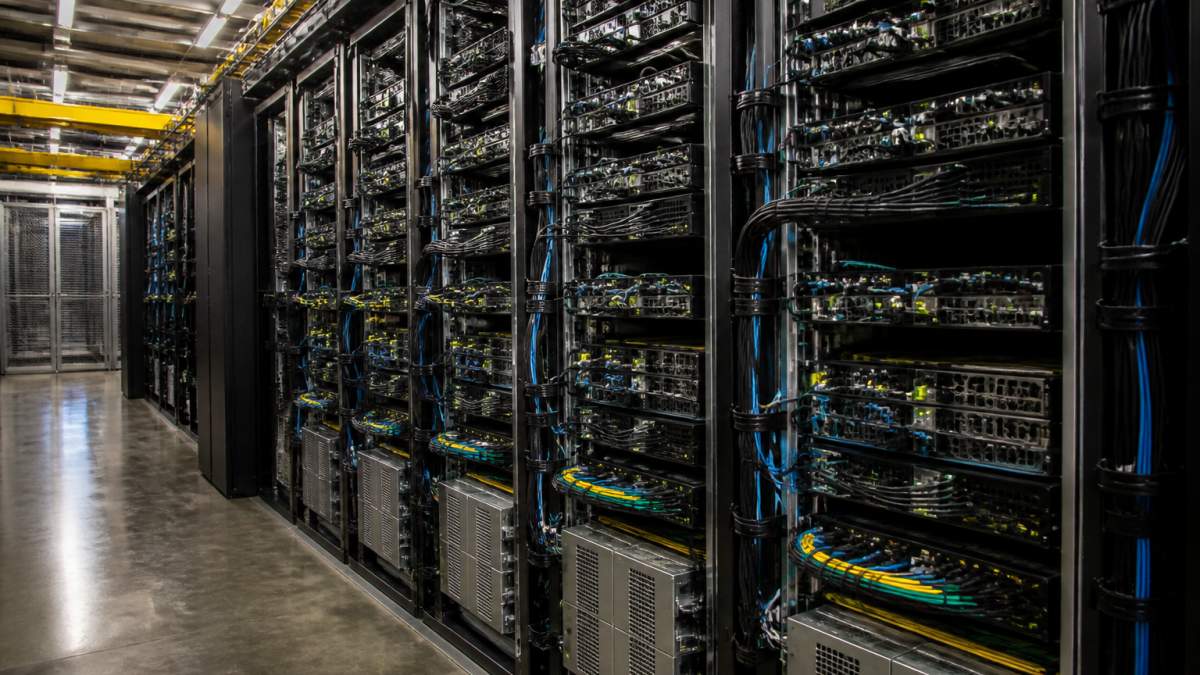
The NVIDIA B200 represents the data-center tier.
The H100 and H200 are the tier below, still enterprise, still expensive, but more accessible than the B200.
AMD’s MI300X offers a non-NVIDIA path for teams evaluating alternatives enterprise GPU comparison for AI. It competes directly with NVIDIA’s high-end accelerators, though ecosystem support (CUDA vs.
ServerPronto’s dedicated GPU servers give you access to enterprise hardware without the capital expense of ownership.
How to Choose the Right GPU for Your LLM Workload
Start with three questions: What model size? What fine-tuning method? What’s your budget?
If you’re fine-tuning 70B models:
The RTX 5090 (32 GB) works with QLoRA and aggressive memory management.
If you’re training from scratch or doing full fine-tuning on 70B+:
Stop looking at consumer cards.
If budget is your primary constraint:
Used RTX 4090s at $1,500-$2,200 deliver solid fine-tuning capacity.
If you’re running inference (not training):
Inference needs less VRAM and tolerates more aggressive quantization.
Teams running fine-tuning experiments and iterating on model adapters, not teams training models from scratch. Consumer GPUs excel at fine-tuning. Full-model training demands enterprise hardware.
Conclusion
The best GPU for local LLM training depends entirely on what you’re actually training. The RTX 5090 is a leading option in the consumer space with 32 GB VRAM and solid bandwidth.
Most teams shouldn’t buy GPUs. Renting GPU-enabled dedicated servers from ServerPronto gives you enterprise hardware, 24/7 on-site technicians, and month-to-month billing with no long-term contracts. You get full root access to configure your training environment, transparent pricing with no surprise overage charges, and the ability to scale up or down as your workload changes.
Frequently Asked Questions
What is the best GPU for training LLMs locally in 2026?
The best GPU depends on your model size and budget. The RTX 5090 offers 32 GB of GDDR7 memory and can handle 32B models at Q4 quantization on a single card, making it the top consumer choice. For teams needing more memory headroom, the L40S provides 48 GB. If you’re fine-tuning smaller models with LoRA or QLoRA, the RTX 4090 or even RTX 3090 (24 GB) may suffice. Enterprise teams training 70B+ models should consider data-center accelerators like the H100 or B200.
How much VRAM do I need to train an LLM locally?
VRAM requirements depend on your model size, precision, and fine-tuning method. A 7B model requires roughly 14-16 GB for full precision training; 13B models need 24-32 GB. For larger models like 70B, you’ll need 48 GB or more, or use quantization (Q4) and parameter-efficient methods like LoRA to reduce memory footprint. The RTX 5090’s 32 GB handles most consumer workloads; the L40S’s 48 GB provides more comfort for production fine-tuning.
Can I use multiple GPUs for local LLM training?
Yes. Multi-GPU setups scale training workloads across multiple cards using PCIe bandwidth or NVLink (on compatible GPUs). Multi-GPU training requires careful synchronization, and PCIe bandwidth can become a bottleneck compared to data-center accelerators with NVLink. A single high-memory GPU can be simpler for many teams; multi-GPU setups are an option to explore once single-card capacity is outgrown.
What’s the difference between training and inference GPUs?
Training GPUs prioritize raw compute and memory bandwidth for gradient calculations and parameter updates. Inference GPUs optimize for throughput and latency on fixed models. Consumer GPUs like the RTX 5090 handle both workloads, but data-center accelerators like the H100 and B200 are built for training at scale. Inference can run on lower-memory consumer cards or even older models; training demands higher VRAM and bandwidth, especially for large models or full-precision work.




Comments are closed.