
Table of Contents
- Why Dedicated GPU Servers Beat Shared Cloud Instances for AI Training
- GPU Hardware Specifications That Decide Training Speed
- When a Bare Metal GPU Server Makes More Sense Than Virtualized
- GPU Server Configuration Best Practices for Training vs Inference
- AI Infrastructure Cost Comparison: Cloud vs Dedicated vs Colocation
- Integrating Dedicated GPU Servers Into Your MLOps Pipeline
- Conclusion: Matching GPU Infrastructure to Your Training Roadmap
- Frequently Asked Questions
Last Updated: September 16, 2026
Why Dedicated GPU Servers Beat Shared Cloud Instances for AI Training
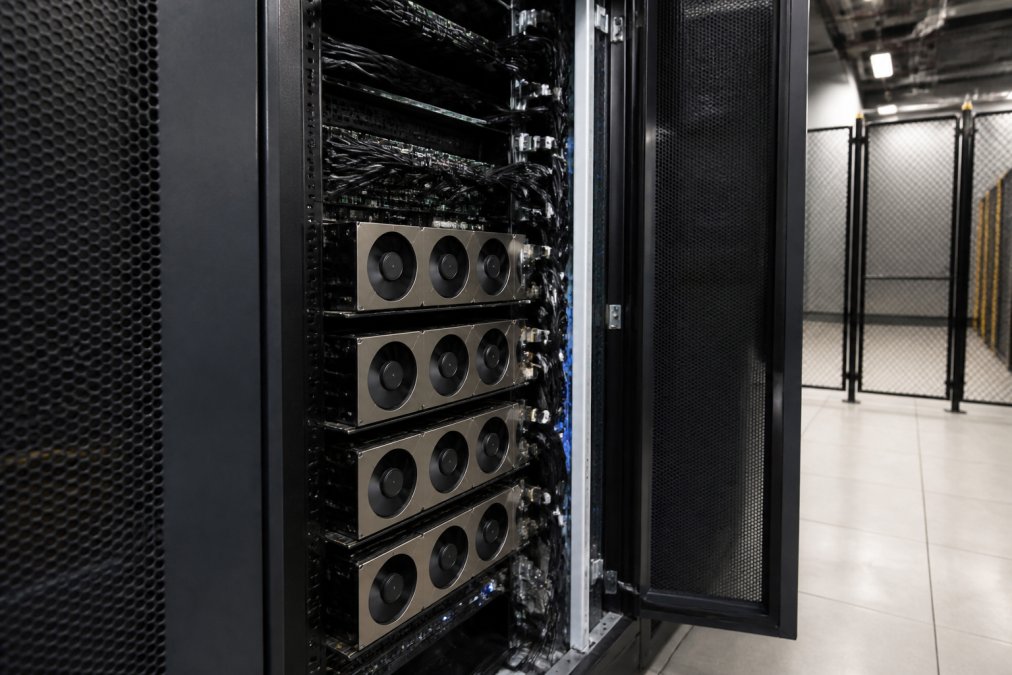
Dedicated GPU servers for AI training are physical machines where every accelerator, CPU core, and byte of RAM is assigned to one tenant, with no hypervisor contention and no noisy neighbors. In 2026, the economics and the performance profile both favor that model for serious training work. An 8-GPU server can represent an investment of $550,000 to $750,000, according to 3exhosting’s enterprise GPU infrastructure guide, which tells you why renting dedicated capacity instead of buying it has become the default for most teams.
The 2026 Shift Toward Data Isolation and Predictable Throughput
Enterprise teams are moving training workloads off shared cloud environments to secure consistent throughput, predictable pricing, and full data isolation for sensitive models, per OneSource Cloud’s 2026 GPU rental analysis. Three forces drive it:
- Data isolation. Model weights, training corpora, and fine-tuning data stay on hardware nobody else touches.
- Predictable throughput. No co-tenant spikes, so epoch times stay stable run to run.
- Predictable billing. A flat monthly rate replaces per-hour GPU metering that punishes long training jobs.
GPU Hardware Specifications That Decide Training Speed
Training speed is decided by four specs before anything else: VRAM capacity, memory bandwidth, tensor core generation, and CUDA support. Get those wrong and no amount of networking fixes it. The reason is mechanical: a transformer training step is dominated by matrix multiplies that stream weights and activations through memory, so the GPU spends most of its time waiting on memory, not on arithmetic.
VRAM Capacity, Tensor Cores, and CUDA Support by Workload
VRAM capacity sets the ceiling on model size. The rule of thumb most practitioners use for full fine-tuning is roughly 16 to 20 bytes of GPU memory per model parameter once you count weights, gradients, and Adam optimizer states in mixed precision. That means a 7B-parameter model needs on the order of 112 to 140 GB before activations, which is why a single 80 GB accelerator cannot full-fine-tune it and teams reach for two to four GPUs with sharding.
| Spec | Training Impact | Inference Impact |
|---|---|---|
| VRAM capacity | Caps model size, batch size, and whether full fine-tuning is possible | Caps concurrent context length and batch size |
| Memory bandwidth | Sets step time when memory-bound | Raises tokens per second |
| Tensor cores | Cuts step time on matmul-heavy layers | Raises tokens per second |
| CUDA support | Framework and library compatibility | Kernel availability |
What Model-Specific Benchmarks Actually Tell You
Generic spec sheets hide the number that matters: tokens per second at a given batch size for your architecture. A useful benchmark fixes the model, the precision, the sequence length, and the batch size, then reports throughput and memory headroom. Three patterns show up repeatedly:
- Dense decoder-only models (Llama-class). Throughput scales close to linearly with GPUs until the interconnect saturates, then flattens. Doubling GPUs on a slow fabric can yield well under 2x.
- Diffusion models (Stable Diffusion-class). Training is dominated by large image batches and high VRAM; a single high-bandwidth card often beats two lower-bandwidth cards because the workload parallelizes poorly across nodes.
- Mixture-of-experts models. These are memory-bound and communication-heavy; expert routing sends activations across GPUs every step, so fabric bandwidth matters more than per-GPU FLOPS.
The most expensive mistake in GPU procurement is buying accelerators that fit your current model but not your next one. Teams that size VRAM to the model they have today end up re-renting within two quarters.
When a Bare Metal GPU Server Makes More Sense Than Virtualized
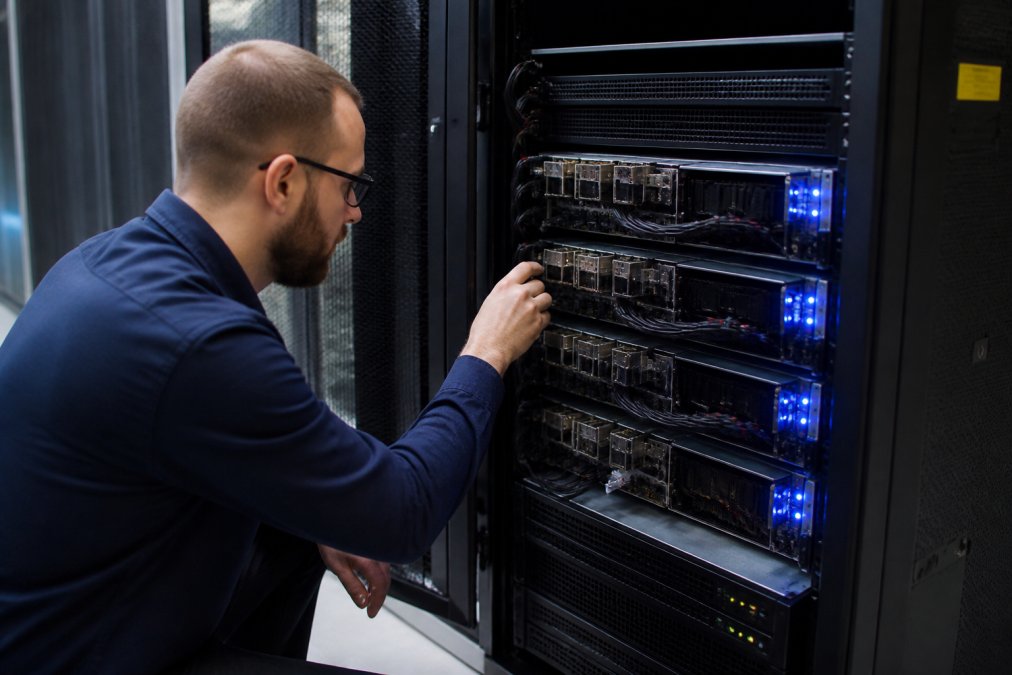
A bare metal GPU server is a single-tenant physical machine with no virtualization layer between your code and the silicon, and it wins whenever isolation, consistent throughput, or full admin access matter more than elasticity. Virtualized GPU instances make sense for bursty experimentation. Bare metal wins for sustained training.
The signs you have crossed that line:
- Training runs last days or weeks, not hours.
- You need custom kernel versions or driver builds.
- Compliance requires provable data isolation.
- Per-hour cloud billing now exceeds a flat monthly rate.
GPU Server Configuration Best Practices for Training vs Inference
GPU server configuration best practices differ sharply between training and inference, and treating them as the same workload wastes money. Training wants maximum interconnect bandwidth and VRAM per node. Inference wants the opposite: modest GPUs, high core counts, and low-latency serving.
GPU-to-Server Ratios, Networking, and Storage Choices
Configuration choices have an outsized effect on budget efficiency, and picking the wrong GPU-to-server ratio burns capital in enterprise training environments, according to Esaitech’s 8-GPU server guide.
| Decision | Training Priority | Inference Priority |
|---|---|---|
| GPU-to-server ratio | 8 GPUs per node, tightly coupled | 1-2 GPUs per node, many nodes |
| Networking | 100 Gbps+ for distributed training | Low-latency request routing |
| Storage | High-throughput NVMe for checkpoints | Fast read cache for model weights |
| Admin access | Full root for custom CUDA stacks | Full root for serving frameworks |
Provision networking before you provision GPUs. Teams routinely overspend on accelerators and underspend on the fabric connecting them, then wonder why scaling from four GPUs to eight barely moves throughput.
AI Infrastructure Cost Comparison: Cloud vs Dedicated vs Colocation
An AI infrastructure cost comparison comes down to three models: metered cloud, dedicated rental, and colocation of owned hardware. Each wins in a different scenario, and the crossover points are predictable once you build a real total cost of ownership (TCO) model instead of comparing hourly rates.
Building a Total Cost of Ownership Model
Hourly cloud rates are the most visible number and the least useful one. A defensible TCO model for a training workload includes:
- Compute cost. Metered GPU hours versus a flat monthly rate. Metered pricing punishes long runs because the meter never stops; a flat rate is fixed regardless of utilization.
- Utilization. A dedicated node you use 60% of the time still costs the same as one you use 100% of the time. Cloud only wins when utilization is genuinely low and spiky.
- Egress and storage. Moving checkpoints and datasets in and out of a cloud region carries bandwidth and storage charges that rarely appear in the headline GPU rate.
- Power, cooling, and rack space. For colocation, these are real recurring line items, not afterthoughts. A dense 8-GPU node can draw several kilowatts, and power is often the largest single operating cost after the hardware itself.
- Staff time. Owned and colocated hardware needs someone to rack it, patch it, replace failed parts, and manage firmware. That labor is invisible in a cloud bill and very visible in a colocation bill.
| Model | Best For | Main Risk | Hidden Cost |
|---|---|---|---|
| Metered cloud | Short experiments, spiky demand | Unpredictable bills | Egress, storage, idle time |
| Dedicated rental | Sustained training, isolation needs | Monthly commitment | None beyond the flat rate |
| Colocation | Owned hardware, long horizons | Obsolescence, capex | Power, cooling, staff, spare parts |
Hardware Lifecycle and Obsolescence
Accelerators age out of usefulness well before they physically fail. The practical lifecycle for a training GPU is roughly two to three generations of silicon, after which newer parts deliver enough throughput per dollar that keeping the old ones running costs more in lost time than a replacement would cost in rent. This is the single biggest argument against buying: you are betting on a depreciation curve you do not control.
Model TCO over the full training horizon, not per hour. A flat monthly rate that looks expensive next to a low hourly rate is usually cheaper the moment your run spans more than a few weeks.
Integrating Dedicated GPU Servers Into Your MLOps Pipeline
Integration with MLOps pipelines is where dedicated infrastructure either pays off or becomes a headache. The goal is to make a dedicated GPU node behave like any other compute target in your orchestration layer.
- Containerize training jobs so the same image runs on cloud and bare metal.
- Automate provisioning with 2-hour setup windows rather than manual racking.
- Version drivers and CUDA alongside model code in your repo.
- Route checkpoints to durable storage, not local disk.
- Monitor GPU use per node to catch idle accelerators.
The teams that get the most from dedicated GPU infrastructure treat provisioning as code, not as a procurement event. Automate the node, version the stack, and the hardware stops being a variable.
Conclusion: Matching GPU Infrastructure to Your Training Roadmap
The right GPU infrastructure is the one that matches your roadmap, not the one with the highest benchmark score. If your training runs are short and sporadic, metered cloud is fine. If they are sustained, sensitive, or expensive to interrupt, dedicated hardware wins on cost, isolation, and throughput every time.
Frequently Asked Questions
Which GPU server is best for AI development?
The best dedicated GPU servers for AI training in 2026 pair high-VRAM accelerators with fast interconnect and 100 Gbps networking. For LLM deployment and distributed training, 8-GPU configurations using current NVIDIA architecture are the standard. Entry-level training can start with single-GPU servers. Match VRAM to model size: larger models need 80GB-class cards, while smaller machine learning workloads run well on 24GB to 48GB GPUs.
What are the benefits of dedicated GPU servers over shared cloud instances?
Dedicated GPU servers give you unshared GPUs, full admin access, and consistent throughput without noisy-neighbor slowdowns. Enterprise teams in 2026 are moving to dedicated hardware for data isolation and predictable monthly pricing. Unlike pay-as-you-go cloud, you avoid overage surprises. Rental often wins on capital efficiency.
How do I determine the GPU requirements for my specific AI model?
Start with VRAM capacity: estimate parameters, optimizer states, and activations per GPU. A 7B-parameter model in mixed precision fits on a single 24GB card; 70B models need multiple 80GB GPUs with tensor parallelism. Then check compute: tensor cores and CUDA support determine training throughput. For inference, lower VRAM and fewer GPUs suffice. Benchmark your specific LLM architecture before committing, because configuration choices significantly impact budget efficiency.
How does a bare metal GPU server differ from a virtualized GPU server?
A bare metal GPU server gives your team direct access to the physical GPUs with no hypervisor layer, so you get full compute, full admin access, and predictable latency. Virtualized GPU servers split one card across tenants, which suits light inference but adds overhead for distributed training. For heavy model training, bare metal is the safer choice because GPU virtualization can cap throughput and complicate CUDA version control.
What does AI infrastructure cost comparison look like for a training team?
Compare three paths: cloud instances, rented dedicated GPU servers, and purchased hardware. Factor in power, cooling, staff time, and hardware lifecycle before deciding.
How do dedicated GPU servers fit into an MLOps pipeline?
Dedicated GPU servers slot into MLOps pipelines as the training and fine-tuning tier. With full admin access, you can run container orchestration, version control, and experiment tracking on the same machine. Use the server for distributed training jobs, then push checkpoints to a separate inference tier. Self-managed servers give you control over CUDA versions and driver updates, which keeps reproducibility stable across model iterations.





Comments are closed.