
Table of Contents
- Understanding Dedicated GPU Costs for Machine Learning
- Cloud GPU Rental Pricing Models and Rate Structures
- On-Premise vs Cloud GPU for Machine Learning: Total Cost Analysis
- GPU Server Colocation Costs and Infrastructure Options
- Hardware Specifications That Drive Pricing
- Workload-Based Cost Drivers: Training vs Inference
- Cost Optimization Strategies and Benchmarking
- Frequently Asked Questions
Last Updated: September 19, 2026
Understanding Dedicated GPU Costs for Machine Learning
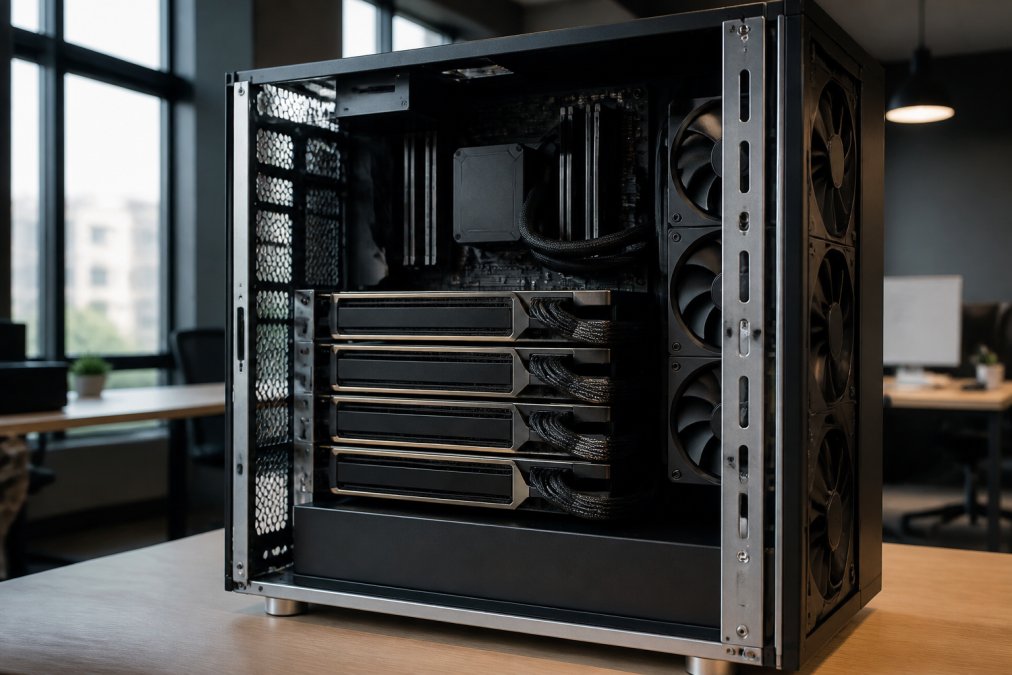
Understanding the dedicated gpu cost machine learning landscape requires comparing cloud rental versus on-premise infrastructure options, as costs vary dramatically between the two approaches. A single NVIDIA H100 GPU can have varying hourly costs on cloud platforms, while purchasing hardware outright requires a significant investment upfront. This guide breaks down the real expenses you’ll face and helps you choose the right infrastructure for your budget and workload.
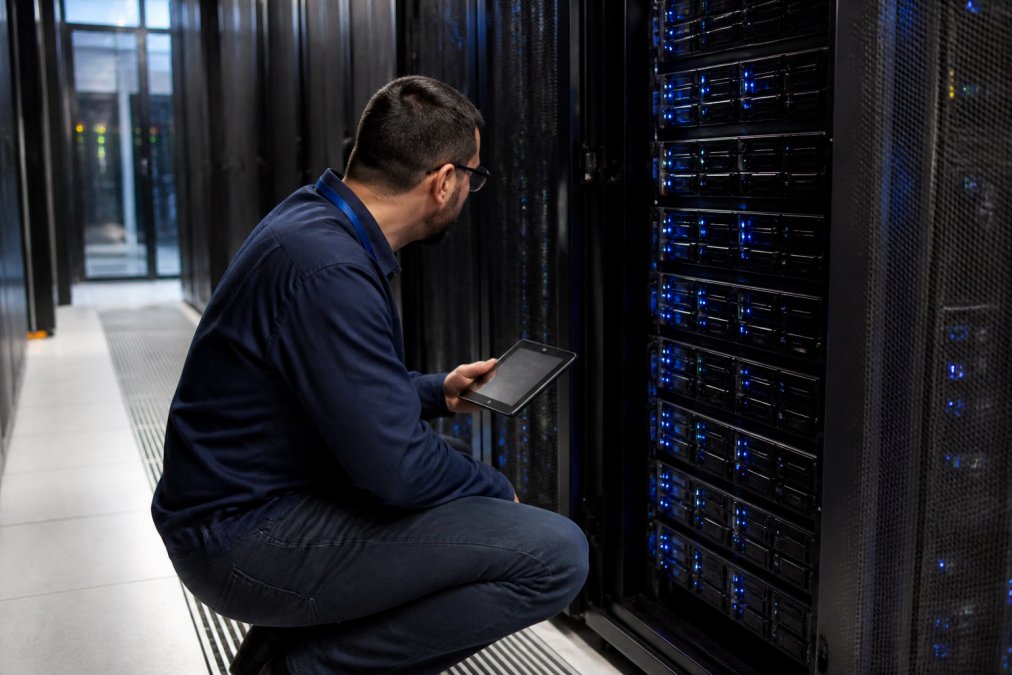
Marketplace and boutique cloud providers now offer 40-70% savings compared to traditional cloud providers, but cheaper hourly rates don’t always mean lower total costs, hidden expenses for storage, egress, and CPU overhead often surprise teams mid-project.
The real cost of dedicated GPU infrastructure extends far beyond hourly rental rates. Total Cost of Ownership (TCO) includes compute, storage, networking, and operational overhead.
Cloud GPU Rental Pricing Models and Rate Structures
On-Demand Instance Pricing
On-demand GPU pricing is the most straightforward model: you pay an hourly rate for exclusive access to hardware. According to Intuition Labs’ 2026 Data Center GPU Pricing Index, NVIDIA H100 80GB GPUs range from $1.38 to $12.29 per hour depending on the provider. The variation reflects differences in infrastructure quality, geographic location, and service tier.
Major cloud providers charge varying hourly rates for H100 instances; boutique providers may offer lower GPU-hour rates. The trade-off is ecosystem maturity and support responsiveness.
NVIDIA H200 GPUs, the newer generation with superior memory bandwidth, start at approximately $2.50 per hour according to GMI Cloud’s 2026 GPU Cloud Pricing Comparison. For inference workloads that don’t require the absolute highest compute density, H200s often deliver better value than H100s when you factor in model size and latency requirements.
On-demand pricing works best for short-term projects, experimentation, and workloads with unpredictable duration. Lock in hourly rates before scaling to production.
Spot and Preemptible Instance Discounts
Spot instances offer 40-70% discounts but can be reclaimed with 2-5 minutes’ notice. They suit fault-tolerant workloads like distributed training with checkpointing and batch processing.
Teams can save thousands monthly by mixing spot and on-demand instances: use on-demand for production inference and spot for training with automatic failover.
Spot availability fluctuates with demand. Plan for volatility by maintaining a small on-demand baseline and bursting to spot when available.
Hidden Costs Beyond Hourly GPU Rates
The hourly GPU rate captures only 30-40% of true infrastructure cost. Data egress fees, storage, CPU overhead, and networking add up quickly. According to Northflank’s 2026 TCO analysis, low hourly GPU rates can be offset by additional costs for CPU, storage, and networking, which may result in a higher total bill than an all-inclusive, higher-priced hourly option.
Egress fees for moving data out of the data center are often the biggest surprise. Transferring large checkpoints can incur costs; frequent iterations compound these costs.
Cloud storage costs vary per GB monthly; a large dataset can incur significant monthly costs. Local NVMe storage costs more per hour but eliminates egress fees.
CPU allocation varies by provider. Misaligned CPU-to-GPU ratios slow data loading and waste GPU compute time. Match CPU cores to your data pipeline requirements.
On-Premise vs Cloud GPU for Machine Learning: Total Cost Analysis
Capital Expenditure vs Recurring Rental Costs
Purchasing dedicated hardware requires significant upfront capital but eliminates recurring cloud fees. An H100 server requires a significant upfront investment and amortizes over several years.
Break-even depends on use patterns. At a certain level of annual GPU-hours, a server with a significant upfront cost may take many years to break even, making it viable primarily for 24/7 workloads.
For predictable, high-volume workloads, on-premise hardware wins financially. For experimental or seasonal workloads, cloud rental avoids stranded capital. ServerPronto’s bare metal GPU servers offer a middle ground: exclusive hardware with month-to-month billing and 2-hour provisioning.
On-premise hardware depreciates quickly. GPUs become obsolete every 18-24 months as new generations launch. A significant investment in hardware may see its resale value decrease over time.
Energy and Cooling Costs for Local Rigs
An NVIDIA H100 draws 350-400 watts under full load. Running it 24/7 annually consumes 3,000-3,500 kWh. A cluster of 8 H100s can incur significant yearly electricity costs alone.
Cooling infrastructure multiplies energy costs.
Maintenance and Hardware Replacement
On-premise hardware requires active maintenance. Component failures are inevitable; maintenance contracts add to the annual cost per GPU.
GPU Server Colocation Costs and Infrastructure Options
Colocation vs Dedicated Cloud Hosting
Colocation lets you place your own hardware in a data center, paying for rack space, power, and connectivity. Costs vary monthly depending on location and power density.
Bare Metal and Private Cloud Deployments
Bare metal servers give you exclusive hardware without virtualization overhead, eliminating the “noisy neighbor” problem. Bare metal costs 10-20% more than virtualized instances but guarantees consistent performance.
Hardware Specifications That Drive Pricing
VRAM Requirements and Model Size Matching
VRAM determines which models you can run. A 7-billion-parameter language model requires 14-16GB in FP32, 8GB in INT8, or 2GB in FP4. Matching model size to available VRAM is critical; oversizing wastes money.
Compute Performance: TFLOPS, Tensor Cores, and CUDA Architecture
TFLOPS (trillion floating-point operations per second) measure raw compute throughput. H100s deliver approximately 1,456 TFLOPS in FP32 precision. H200s improve this to 1,875 TFLOPS. The newer NVIDIA Blackwell B200 architecture ranks as the top GPU for 2026, delivering 192 GB HBM3e memory and FP4 compute capabilities according to RedSwitches’ 2026 GPU Rankings.
Memory Bandwidth and Data Center GPU Generations
Memory bandwidth often limits throughput more than raw TFLOPS. H100s provide 3.35 TB/s; H200s provide 4.8 TB/s. For transformer-based models, memory bandwidth is frequently the bottleneck.
Workload-Based Cost Drivers: Training vs Inference
Model Training Workload Requirements
Training is compute-intensive and memory-hungry. Large models require high VRAM; distributed training requires fast inter-GPU communication.
Inference Workload Optimization and Scalability
Inference is latency-sensitive and throughput-focused. Running multiple requests in parallel improves throughput but increases latency.
Cost Optimization Strategies and Benchmarking
Spot Instance Strategy and Risk Assessment
Spot instances offer dramatic savings but require architectural support for interruption. A fault-tolerant inference system with multiple replicas can absorb spot interruptions by failing over to another instance. A single-instance training job loses progress if interrupted.
Provisioning and Workload Orchestration for Cost Control
Provisioning speed affects cost. If it takes 30 minutes to launch a GPU instance, you can’t react quickly to workload spikes. Waiting for provisioning means either overprovisioning (expensive) or accepting latency (poor performance). ServerPronto’s 2-hour provisioning enables faster response to demand changes than traditional cloud providers.
| Strategy | Cost Savings | Best For | Complexity |
|---|---|---|---|
| Spot instances | 40-70% | Training with checkpointing | Medium |
| Older GPU generations | 60-70% | Non-time-sensitive workloads | Low |
| Marketplace providers | 40-70% | Cost-sensitive teams | Medium |
| Right-sizing hardware | 20-40% | All workloads | Low |
| Colocation | 50-70% | High-volume, owned hardware | High |
Frequently Asked Questions
How much does a dedicated GPU cost for machine learning?
Dedicated GPU costs vary significantly based on hardware type and deployment method. Cloud on-demand rental for NVIDIA H100 GPUs has varying hourly rates through major providers, while boutique cloud providers may offer lower GPU-hour rates. Consumer-grade GPUs can also be rented hourly. For on-premise hardware, capital costs range from consumer cards to tens of thousands for enterprise-grade data center GPUs. Your actual total cost depends on usage duration, workload type, and infrastructure overhead.
Is it cheaper to buy a dedicated GPU or use cloud hosting for machine learning?
The answer depends on your project duration and utilization rate. Cloud GPU rental works better for short-term projects, experimentation, and variable workloads where you pay only for hours used. Buying becomes cost-effective for continuous, long-running workloads where you’ll use the hardware 24/7 for months or years. However, on-premise ownership includes hidden costs: energy consumption, cooling infrastructure, maintenance, and eventual hardware replacement. Marketplace and boutique cloud providers can offer significant savings compared to traditional cloud providers, narrowing the gap between cloud and local hardware.
What are the hidden costs of maintaining on-premise GPU hardware?
Beyond the initial hardware purchase, on-premise GPU maintenance includes electricity costs (high-end GPUs consume 300-500 watts continuously), cooling system installation and operation, physical space rental or data center colocation fees, network infrastructure, backup power supplies, and IT staff time for monitoring and troubleshooting. Hardware degradation means replacement every 3-5 years. A single H100-class GPU can require a significant purchase cost, then add monthly energy and colocation costs. These overhead expenses often exceed cloud rental costs for workloads that don’t require 24/7 utilization.
What GPU specifications matter most for controlling machine learning costs?
VRAM capacity is the primary cost driver because it determines which models you can run. A 24GB GPU costs significantly less than an 80GB H100 but can only handle smaller models. Matching VRAM to your model size prevents wasted spending on excess capacity. Compute performance (measured in TFLOPS and tensor cores) affects training speed, so faster hardware reduces billable hours. Memory bandwidth influences data throughput during inference. Newer GPU generations like NVIDIA’s H200 offer better performance-per-dollar than older H100 models. Benchmarking your specific workload against available hardware helps you choose the minimum specs needed rather than over-provisioning.
How do spot instances and preemptible GPUs reduce costs?
Spot and preemptible instances rent unused cloud capacity at significant discounts compared to on-demand rates, but they can be interrupted with little warning when demand spikes. This approach works well for fault-tolerant workloads like model training where you can pause and resume, but not for time-sensitive inference serving customers. Combining spot instances with reserved capacity (guaranteed on-demand slots) balances cost savings with reliability. Workload orchestration tools can automatically shift non-critical tasks to spot instances during low-cost windows and use reserved capacity during peak hours, reducing total infrastructure spend for mixed workloads.




Comments are closed.