
Last Updated: November 17, 2026
Quick Summary
A bare metal server is a physical machine leased or owned in full, with no hypervisor sharing its hardware with other customers. For AI model inference, this single-tenant setup gives direct access to the CPU, memory, storage and GPUs, making latency and throughput easier to measure and tune. Teams size the hardware by working backward from model size, precision, context length and concurrency.
- Quantization can be the difference between needing one GPU and needing four.
- Size the KV cache explicitly, since it grows with each concurrent request.
- Add 10-20% overhead for the runtime, then round up to the next GPU memory tier.
- Load-test at peak concurrency, because single-request tests can miss KV cache exhaustion.
- Pin model and runtime versions to avoid unexplained failures after updates.
Table of Contents
- What a Bare Metal Server Is and Why Inference Teams Use One
- AI Inference Server Requirements: Choosing GPUs, RAM, and Storage
- Bare Metal GPUs for AI Workloads: What Dedicated Hardware Changes
- Step-by-Step: Deploying an Inference Model on Bare Metal
- AI Model Inference Optimization on Bare Metal Hardware
- Bare Metal Server vs Dedicated Server: Which Fits Your Inference Load
- Securing and Monitoring Your Inference Server in Production
- Booking Your Inference Server with ServerPronto
- Frequently Asked Questions
What a Bare Metal Server Is and Why Inference Teams Use One
A bare metal server is a physical machine leased or owned in full, with no hypervisor splitting its hardware among other customers.
Virtualized GPU instances share underlying hardware, and performance can shift with neighboring workloads. A dedicated machine removes that variable.
Deployment choice matters too.
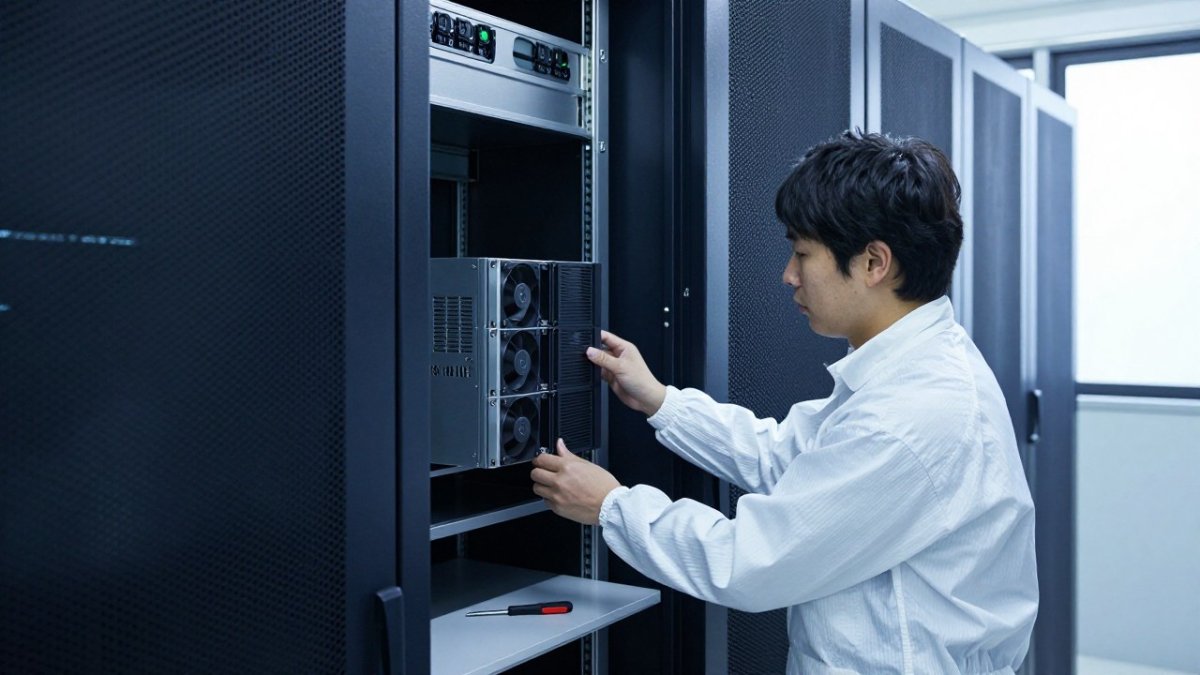
If you want a single-tenant machine for this work, ServerPronto’s dedicated bare metal servers give you full hardware control from the first boot.
AI Inference Server Requirements: Choosing GPUs, RAM, and Storage
Most sizing guides stop at “pick a GPU with enough VRAM.” That advice fails the moment you need to serve a real model to real users. The practical approach is to work backward from four inputs: model size, numeric precision, context length, and concurrency target. Get those numbers first, then let them drive GPU memory, accelerator count, CPU, RAM, and storage.
Start With a VRAM Budget, Not a GPU Catalog
GPU memory during inference holds three things: model weights, the key-value (KV) cache, and runtime overhead from the serving framework. Weights are the easy part. A model with N billion parameters at 16-bit precision needs roughly 2N gigabytes just for weights, so a 7B model needs about 14 GB, a 13B model about 26 GB, and a 70B model about 140 GB before any cache or overhead. At 8-bit or 4-bit quantization those figures drop to roughly 1N and 0.5N gigabytes respectively, which is why quantization is often the difference between one GPU and four.
The KV cache is where teams get surprised. It scales with batch size, sequence length, number of layers, and attention head dimensions, and it grows linearly with each concurrent request.
A workable rule: add weights, estimated KV cache at peak concurrency, and 10-20% overhead for the runtime, then round up to the next GPU memory tier. If the total exceeds a single accelerator, you need tensor parallelism across multiple GPUs, which adds interconnect overhead and changes your latency profile.
Matching Accelerator Count to Model and Latency Target
Single-GPU serving is simplest and lowest-latency for models that fit. Once a model spans multiple GPUs, inter-GPU communication becomes part of every forward pass, and time-to-first-token rises. For latency-sensitive interactive inference, prefer the fewest GPUs that hold the model and cache.
Memory bandwidth matters as much as capacity. Token generation is memory-bandwidth-bound, so a GPU with more VRAM but lower bandwidth can underperform a smaller, faster-memory part on the same model (Efficient LLM Inference).
CPU, System RAM, and Storage
The CPU’s job in inference is to feed the GPUs: tokenization, request scheduling, and data preprocessing. A modest core count is usually enough, but undersizing the CPU creates a bottleneck that shows up as idle GPUs under load.
System RAM should comfortably exceed the total model size so weights can be staged and, if needed, offloaded. A common pattern is 2x the aggregate GPU memory in system RAM for multi-GPU nodes.
A Sizing Worksheet
For each candidate model, record: parameter count, precision, maximum context length, peak concurrent requests, and target p95 latency. Compute the weight footprint, estimate KV cache at peak, add overhead, and compare to available GPU memory per configuration.
For a deeper look at sizing deep learning hardware, ServerPronto’s GPU dedicated server guide for deep learning covers GPU selection in more detail.
The article’s sizing rules come down to a few concrete multipliers and footprints that you can check at a glance.
| Model or factor | Stated value | Note |
|---|---|---|
| 7B model at 16-bit | About 14 GB | Weights only, before cache and overhead |
| 13B model at 16-bit | About 26 GB | Weights only, before cache and overhead |
| 70B model at 16-bit | About 140 GB | Weights only, before cache and overhead |
| Overhead allowance | 10-20% | Added for the serving runtime |
| System RAM guidance | 2x aggregate GPU memory | Common pattern for multi-GPU nodes |
| Storage type | NVMe | Speeds cold starts and rolling restarts |
Approximate GPU memory needed for model weights at 16-bit precision
Bare Metal GPUs for AI Workloads: What Dedicated Hardware Changes
Dedicated GPUs change the economics of sustained inference.
Dedicated hardware also changes how you tune. You can set driver versions, batch sizes, and serving frameworks without waiting on a provider’s image catalog.
Control has a cost. You now own the patching, monitoring and failure handling that a managed service would otherwise absorb. Plan for that operational load from the start.
Step-by-Step: Deploying an Inference Model on Bare Metal
A reproducible deployment is one you can hand to another engineer and get the same result. The sequence below covers provisioning, driver and runtime setup, model serving, validation, and the production operations that keep it running. Pin versions at every step and record them.

Step 1: Provision and Baseline the Machine
After the server is provisioned, confirm the hardware matches the order: GPU model and count, system RAM, and NVMe capacity. Run nvidia-smi and record the driver version, CUDA version, and GPU memory. Save this baseline; it is your reference when something drifts later.
Install a supported Linux distribution and apply updates. Create a non-root service account for the inference workload and disable password SSH in favor of key-based authentication.
Step 2: Install Drivers and the Container Runtime
Install the NVIDIA driver from a single source, either the distribution repository or NVIDIA’s own repository, not both. Mixing sources is a common cause of failed deployments. Reboot and confirm nvidia-smi sees every GPU.
Install a container runtime and the NVIDIA container toolkit, then run a small test container that reports GPU visibility. If the container cannot see the GPUs, stop here; nothing downstream will work.
Step 3: Choose and Configure the Serving Runtime
Select a serving framework that matches your traffic. Online API servers handle interactive requests with continuous batching; batch runners process large offline jobs. Load the model once at startup and keep it resident. Configure maximum batch size, maximum sequence length, and memory utilization limits explicitly rather than relying on defaults.
Pin the model revision and the runtime version in your deployment configuration. Unpinned versions are a leading cause of “it worked yesterday” incidents.
Step 4: Validate Before Exposing Traffic
Send a test request with a realistic payload and record time-to-first-token and tokens per second. Run a short load test at expected concurrency and capture p50 and p95 latency. Compare against your sizing worksheet. If p95 latency exceeds target, adjust batch size or concurrency limits before going live.
Watch out: a model that passes a single-request test can still fail under concurrency when the KV cache exhausts GPU memory. Always load-test at peak concurrency.
Step 5: Put It Behind a Proxy and Authenticate
Place the inference API behind a reverse proxy with request size limits, rate limits, and authentication. Health-check endpoints should verify GPU availability, not just process liveness.
Step 6: Operate It in Production
Production inference needs monitoring, capacity planning, and failure handling. Monitor GPU utilization, GPU memory, request latency percentiles, error rates, and queue depth. Alert on sustained high memory use, which often precedes an out-of-memory crash.
Plan capacity against peak, not average, and decide in advance whether overflow goes to a second node or a cloud burst.
Back up configuration and model artifacts, and document an incident runbook: what to check first, how to roll back, and who is on call.
AI Model Inference Optimization on Bare Metal Hardware
Optimization starts with measurement. Record latency at the 50th and 95th percentile, along with throughput in tokens or images per second, under a load that matches production.
Common levers include batch size, quantization, and the choice of inference engine. Quantization reduces memory use and can raise throughput, but it can also reduce output quality, so check accuracy on your own test set.
Keep a benchmark log. Teams that compare results across hardware changes, software updates and model versions catch regressions early.
Bare Metal Server vs Dedicated Server: Which Fits Your Inference Load
The terms overlap, but the distinction matters for AI work. A bare metal server is a single-tenant physical machine you can configure at the hardware level. A dedicated server is often a physical machine too, but the provider may limit how much low-level control you get.
Choose bare metal when you need GPU-level access, custom drivers, or predictable performance under sustained load. If you already own your AI hardware and need a place to house it, you can colocate your GPU and AI servers in Miami with rack space, power, cooling and on-site support.
Cloud GPU instances suit short experiments and bursty demand. Bare metal suits steady, long-running workloads where you want consistent hardware and direct control. Many teams run both, using cloud for spikes and dedicated hardware for baseline traffic.
Securing and Monitoring Your Inference Server in Production
Security starts with access. Restrict SSH to key-based login, close unused ports, and place the inference API behind authentication.
Monitoring should cover GPU temperature and use, memory pressure, request latency, and error rates. Set alerts for sustained high memory use, since that often precedes an out-of-memory crash.
Single-tenant hardware reduces some risk from noisy neighbors. have noted that performance advantages can involve trade-offs between tenants on shared infrastructure, as Eclypsium’s analysis of bare metal server security discusses.
Booking Your Inference Server with ServerPronto
Once you know your model size, concurrency target and monitoring needs, you can size the hardware. ServerPronto provides dedicated and bare metal servers with full root access, 2-hour provisioning, and month-to-month billing with no contracts, so you can scale as your inference load grows. Our 24/7 on-site technicians and 100% uptime guarantee help keep production inference running.
Pricing depends on the configuration you choose, so contact ServerPronto’s sales team for a quote on your GPU and memory requirements.
Frequently Asked Questions
What is an AI inference server?
An AI inference server is a machine that runs a trained model to produce predictions for live requests, such as chatbot replies, image classification, or recommendations. Unlike training, inference runs continuously and is judged on latency, throughput, and cost per request. Most inference servers pair one or more GPUs with enough system memory to hold the model and handle incoming traffic. A bare metal server gives the model exclusive access to that hardware, so no other tenant competes for the GPU or memory bandwidth.
How much RAM does an AI inference server need?
System RAM should be large enough to load the model, hold the request queue, and run the serving framework without swapping. A practical starting point is at least as much system memory as the total GPU memory, with extra headroom for the operating system and preprocessing. The exact amount depends on model size, batch size, and whether you keep multiple model replicas loaded. Test with your own model and traffic pattern before settling on a configuration, and confirm current configurations and pricing with ServerPronto directly.
When should you use a bare metal server instead of a cloud GPU?
A bare metal server makes sense when your inference workload runs steadily for long periods and you need predictable performance on dedicated hardware. Cloud GPUs are often better for short, bursty, or experimental work because you can scale down when traffic drops. For sustained inference, dedicated GPUs avoid noisy-neighbor effects and give you full control over drivers, the serving stack, and network placement. Compare total monthly cost for your real utilization, not peak capacity, and request a quote from ServerPronto for current pricing.
How do you secure AI inference workloads on a bare metal server?
Start with a hardened operating system, restrict SSH to key-based access, and keep the firewall limited to the ports your API actually needs. Isolate the inference service in a container or separate user account, and encrypt traffic with TLS. Patch GPU drivers and the serving framework on a regular schedule, and log requests and errors centrally. Because bare metal is single-tenant, you avoid shared-hardware risks, but you still own the security configuration, so audit it as you would any production server.








Comments are closed.